
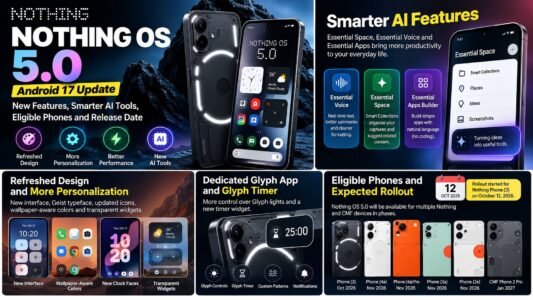
Nothing OS 5.0 is the latest major software update from Nothing, bringing a refreshed interface, deeper customization, smoother performance and improved AI-powered tools. Based on Android 17, the update aims to make Nothing smartphones more personal, responsive and useful for everyday tasks.
The stable rollout began for the Nothing Phone (3) on October 12, 2026. Other eligible Nothing and CMF smartphones are expected to receive the update in phases, so availability will depend on the device and region.
In this article, we cover the key Nothing OS 5.0 features, expected rollout schedule, compatible phones and how to check for the update.
What Is Nothing OS 5.0?
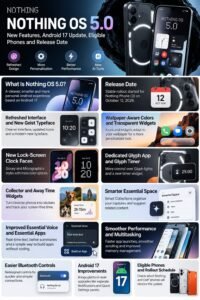
Nothing OS is the Android-based operating system used on Nothing smartphones. Its distinctive design combines minimalist layouts, customizable widgets and the brand’s recognizable visual style.
Nothing OS 5.0 builds on this approach with Android 17, updated typography, redesigned system elements, additional lock-screen options and improved Essential AI tools.
The update focuses on four main areas:
- Design: A cleaner interface with updated icons, typography and layouts.
- Personalization: New clock faces, wallpaper-aware colors and transparent widgets.
- Performance: Smoother interactions and improved memory management.
- AI features: Better organization in Essential Space and tools for creating simple apps.
Nothing OS 5.0 Release Date
Nothing began the stable Nothing OS 5.0 rollout for the Nothing Phone (3) on October 12, 2026. The company is distributing the update in stages rather than making it available to every compatible phone simultaneously.
This means two users with the same model may receive the update at different times.
The rollout for other eligible devices is expected to continue over the coming months. Check Nothing’s official software announcements for the latest schedule before assuming that an update is available for your phone.
Top Nothing OS 5.0 Features
1. Refreshed Interface and New Geist Typeface
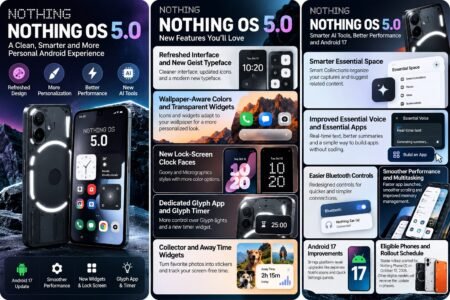
Nothing OS 5.0 introduces the Geist typeface and updates the visual design across Settings, the status bar, Camera, Gallery and other system areas.
The redesigned layouts, refined spacing and updated icons aim to make information easier to scan while maintaining Nothing’s distinctive look.
2. Wallpaper-Aware Colors and Transparent Widgets
Personalization receives a major upgrade. App icons and supported widgets can adapt their colors to match your wallpaper, helping create a more coordinated home screen.
Transparent elements add depth without forcing users to abandon the existing Nothing OS appearance. You can choose the style that suits your preferences.
3. New Lock-Screen Clock Faces
The update introduces two notable clock styles:
- Gooey: A playful design with fluid shapes and a bold visual appearance.
- Micrographics: A more information-focused style inspired by hardware and technical graphics.
Additional color options make it easier to coordinate the lock screen with your wallpaper.
4. Dedicated Glyph App and Glyph Timer
Nothing’s Glyph Interface receives more convenient controls through a dedicated Glyph app.
The new Glyph Timer widget also lets users start a countdown directly from the home screen. On supported devices, the rear Glyph lights can visually indicate the remaining time, reducing the need to repeatedly check the display.
5. Collector and Away Time Widgets
Nothing OS 5.0 adds features designed around personalization and digital habits.
Collector lets users turn favorite photos into home-screen stickers and build collections of people, places and other things they like.
Away Time tracks breaks from the phone, helping users understand how long they spend away from their screens over time.
6. Smarter Essential Space
Essential Space helps users capture and organize information. With Smart Collections, it can suggest related captures for existing collections or recommend creating a new collection when it recognizes a common topic.
The goal is to make saved notes and other information easier to find without organizing everything manually.
7. Improved Essential Voice and Essential Apps
Essential Voice has been improved with real-time text as you speak, cleaner formatting and better summaries. Transcription capabilities and availability can vary by feature and device.
Essential Apps Builder also lets users describe a simple tool in natural language, preview it and refine it without traditional coding. It remains a beta feature, and access may expand gradually.
8. Smoother Performance and Multitasking
Nothing says OS 5.0 improves app launches, scrolling, touch response and multitasking. Updated memory management is designed to reduce unnecessary app reloads and keep frequently used apps ready in the background.
Actual performance will depend on the phone model, available memory, installed apps and usage habits.
9. Easier Bluetooth Controls
Bluetooth controls have been redesigned in Quick Settings to make it easier to find nearby devices and connect or disconnect with fewer steps.
This is a small change, but it can be useful for people who regularly switch between wireless headphones, speakers, cars and other accessories.
10. Android 17 Improvements
Because Nothing OS 5.0 is based on Android 17, it also incorporates platform-level improvements. These include separate Notifications and Quick Settings panels and QR-code-based sharing features for compatible devices.
The exact behavior of Android features can depend on the device, app and regional rollout.
Nothing OS 5.0 Eligible Phones and Expected Rollout
The following schedule has been reported for the stable rollout. Treat these dates as expected windows, not guaranteed delivery dates.
| Nothing or CMF phone | Expected stable rollout |
|---|---|
| Nothing Phone (3) | Mid-October 2026 — rollout started |
| Nothing Phone (4a) | Early November 2026 |
| Nothing Phone (4a) Pro | Early November 2026 |
| Nothing Phone (3a) | Early November 2026 |
| Nothing Phone (3a) Pro | Early November 2026 |
| Nothing Phone (2a) | Mid-November 2026 |
| Nothing Phone (2a) Plus | Mid-November 2026 |
| Nothing Phone (3a) Lite | Late December 2026 |
| Nothing Phone (4b) | Mid-January 2027 |
| CMF Phone 2 Pro | Mid-January 2027 |
The Nothing Phone (1), Nothing Phone (2) and CMF Phone 1 are not included in the reported Nothing OS 5.0 rollout schedule because they have reached the end of their major software support.
For the most reliable information, check the official Nothing OS release roadmap. Timelines can change, and some features may arrive separately through app updates.
How to Download Nothing OS 5.0
If your phone is eligible, follow these steps to check for the update:
- Open Settings on your Nothing phone.
- Select System.
- Tap System update.
- Check whether Nothing OS 5.0 is available.
- If it appears, follow the on-screen instructions to download and install it.
Before updating, connect to Wi-Fi, ensure the battery is sufficiently charged and back up important data. If the update is not listed, it may not have reached your device yet. Avoid installing unofficial update packages from untrusted websites.
Nothing OS 5.0: Pros and Cons
Pros
- Refreshed interface and more personalization options.
- New clock faces, widgets and Glyph controls.
- Improved Essential Space organization.
- More convenient Essential Voice and app-building tools.
- Android 17 platform improvements.
- Performance refinements for everyday use.
Cons
- The stable rollout is staggered.
- Some features remain in beta or may arrive separately.
- Older phones outside the eligible schedule will not receive this major update.
- Real-world performance improvements can vary by model.
Is Nothing OS 5.0 Worth Updating To?
For owners of supported Nothing smartphones, Nothing OS 5.0 offers meaningful improvements to personalization, everyday controls and AI-related productivity features. The refreshed interface and redesigned widgets may be especially appealing to users who enjoy customizing their home screens.
However, the update is not available for every Nothing phone, and not every advertised feature will necessarily appear immediately. Check your model’s eligibility and back up important information before installing the software.
Frequently Asked Questions
1. What is Nothing OS 5.0 based on?
Nothing OS 5.0 is based on Android 17 and adds Nothing’s own interface design, personalization options and Essential tools.
2. When was Nothing OS 5.0 released?
The stable rollout began for the Nothing Phone (3) on October 12, 2026. Other eligible models are scheduled to receive it in phases.
3. Which phones will get Nothing OS 5.0?
The reported eligible lineup includes the Nothing Phone (3), Phone (4a) series, Phone (3a) series, Phone (2a) series, Phone (3a) Lite, Phone (4b) and CMF Phone 2 Pro. Check the official roadmap for changes.
4. Will Nothing Phone (2) receive Nothing OS 5.0?
The Nothing Phone (2) is not included in the reported rollout schedule for Nothing OS 5.0.
5. How can I check for the Nothing OS 5.0 update?
Go to Settings → System → System update on your Nothing phone. If the update is not available, check again later.
6. Does Nothing OS 5.0 include new AI features?
Yes. Improvements include Smart Collections in Essential Space, enhanced Essential Voice and Essential Apps Builder. Availability can vary, and some tools remain in beta.
Final Verdict
Nothing OS 5.0 is a substantial software update that combines Android 17 with a refreshed design, new widgets, Glyph controls and improved AI tools. Its focus on personalization and practical everyday improvements makes it a noteworthy upgrade for supported Nothing devices.
If you own an eligible phone, keep an eye on the official rollout and install the update when it becomes available for your model.